

شرح اضافة ايقونات في قائمة الملف الشخصي ، الاشياء البسيطة دائمًا ماتعطي الحياة والانفراد في التصاميم ، فمثل اضافة ايقونات في الهيدر شيء جميل ويعطي جمالية زائدة رغم بساطة الموضوع ، وكذلك اضافة ايقونات في قائمة التعديل في الملف الشخصي .
قبل التعديل :
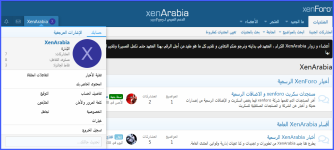
بعد التعديل :
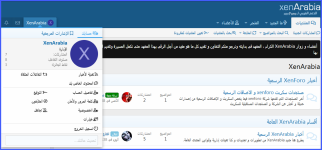
للنتقل الى الشرح :
كل ما عليك عمله هو إضافة الكود إلى قالب extra.less
انتهى الشرح .
قبل التعديل :
بعد التعديل :
للنتقل الى الشرح :
كل ما عليك عمله هو إضافة الكود إلى قالب extra.less
CSS:
.p-navEl-link {
    &:before{
        font-size: 15px;
        display: inline-block;
        -webkit-font-smoothing: antialiased;
        -moz-osx-font-smoothing: grayscale;
        margin-right: 3px;
        .m-faBase();
    }
    &[data-nav-id="home"]:before{content: '\f015';}
    &[data-nav-id="forums"]:before{content: '\f086';}
    &[data-nav-id="whatsNew"]:before{content: '\f0e7';}
    &[data-nav-id="members"]:before{content: '\f007';}
    &[data-nav-id="newPosts"]:before{content: '\f075';}
    &[data-nav-id="findThreads"]:before{content: '\f002';}
    &[data-nav-id="watched"]:before{content: '\f2f1'; }
    &[data-nav-id="searchForums"]:before{content: '\f689';}
    &[data-nav-id="markForumsRead"]:before{content: '\f5b7';}
}
.menu-linkRow{
    &:before{
        display: inline-block;
        font-size: 15px;
        -webkit-font-smoothing: antialiased;
        -moz-osx-font-smoothing: grayscale;
        margin-right: 3px;
        .m-faBase();
    }
    &[data-nav-id="whatsNewPosts"]:before{content: '\f4ad';}
    &[data-nav-id="whatsNewProfilePosts"]:before{content: '\f4ff';}
    &[data-nav-id="whatsNewNewsFeed"]:before{content: '\f09e';}
    &[data-nav-id="latestActivity"]:before{content: '\f6a3';}
    &[data-nav-id="currentVisitors"]:before{content: '\f0c0';}
    &[data-nav-id="newProfilePosts"]:before{content: '\f4ff';}
    &[data-nav-id="searchProfilePosts"]:before{content: '\f00e';}
    &[data-nav-id="yourThreads"]:before{content: '\f4ad';}
    &[data-nav-id="contributedThreads"]:before{content: '\f4ac';}
    &[data-nav-id="unansweredThreads"]:before{content: '\f4b5';}
    &[data-nav-id="watchedThreads"]:before{content: '\f14e';}
    &[data-nav-id="watchedForums"]:before{content: '\f4ac';}
}
.menu-tabHeader .tabs-tab{
    &:before{
        display: inline-block;
        font-size: 15px;
        -webkit-font-smoothing: antialiased;
        -moz-osx-font-smoothing: grayscale;
        margin-right: 3px;
        .m-faBase();
    }
    &[href="{{ link('account') }}"]:before{content: '\f509';}
    &[href="{{ link('account/bookmarks') }}"]:before{content: '\f02e';}
}
.menu-content .listPlain .menu-linkRow{
    &:before{
        display: inline-block;
        font-size: 15px;
        -webkit-font-smoothing: antialiased;
        -moz-osx-font-smoothing: grayscale;
        margin-right: 3px;
        .m-faBase();
}
    &[href="{{ link('whats-new/news-feed') }}"]:before{content: '\f09e';}
    &[href*="{{ link('search/member') }}"]:before{content: '\f4b2';}
    &[href*="{{ link('account/reactions') }}"]:before{content: '\f361';}
    &[href="{{ link('account/account-details') }}"]:before{content: '\f4fe';}
    &[href="{{ link('account/security') }}"]:before{content: '\f502';}
    &[href="{{ link('account/privacy') }}"]:before{content: '\f505';}
    &[href="{{ link('account/preferences') }}"]:before{content: '\f6a3';}
    &[href="{{ link('account/signature') }}"]:before{content: '\f5b7';}
    &[href="{{ link('account/following') }}"]:before{content: '\f14e';}
    &[href="{{ link('account/ignored') }}"]:before{content: '\f4fa';}
}
[href*="{{ link('logout') }}"]:before{
        display: inline-block;
        .m-faBase();
        content: '\f011';
        font-size: 15px;
        -webkit-font-smoothing: antialiased;
        -moz-osx-font-smoothing: grayscale;
        margin-right: 3px;
}
انتهى الشرح .
